


Outages during server relocation are preventable with thorough planning, the right migration strategy, and professional execution. The most significant risks come from inadequate preparation, poor sequencing, and underestimating the physical handling demands of server hardware. This article walks through the most important questions IT and operations teams face when planning a server move, from identifying common failure points to building a communication plan that keeps stakeholders informed throughout.
What are the most common causes of outages during server relocation?
The most common causes of outages during server relocation are inadequate pre-move planning, improper physical handling of hardware, failure to account for dependency mapping, and insufficient testing before systems go live again. Each of these failure points can be addressed directly, but only if teams identify them before the move begins rather than during it.
Physical damage is a more frequent cause of outages than many IT teams expect. Server hardware is sensitive to vibration, static, and improper packing. A hard drive that survives years in a controlled data center environment can fail after rough transit if it is not properly secured, temperature-controlled, or handled by trained professionals.
Dependency failures are another major source of downtime. Complex environments often have undocumented connections between systems. When one server moves before the systems it supports, applications break in ways that are difficult to diagnose quickly. Thorough dependency mapping before the migration starts is essential to avoid this.
Other common causes include:
- Misconfigured network settings after hardware is reconnected at the new location
- IP address conflicts when servers come online in a different network environment
- Power incompatibilities or insufficient power capacity at the destination
- Data corruption during transfer due to improper shutdown procedures
- Human error during cable management and reconnection
Understanding these causes is the first step toward building a migration plan that actively eliminates them rather than hoping they do not occur.
How do you plan a server migration to avoid downtime?
To avoid downtime during a server migration, you need a detailed plan that covers inventory and dependency mapping, a phased migration sequence, clearly defined rollback procedures, and pre-agreed maintenance windows. Planning is not a preliminary step, it is the primary risk management tool for the entire project.
Start by creating a complete inventory of every server, its role, and its dependencies. This means documenting which applications rely on which servers, which systems communicate with each other, and which services are customer-facing versus internal. Without this map, you cannot sequence the migration safely.
Once dependencies are mapped, sequence the migration so that foundational infrastructure moves first. DNS servers, authentication systems, and shared storage should be migrated and verified before application servers follow. Moving in the wrong order is one of the fastest ways to trigger cascading failures that are difficult to resolve under pressure.
A credible migration plan also includes:
- A defined maintenance window with stakeholder approval
- A rollback plan for every phase, with clear trigger conditions
- Pre-migration backups verified as restorable, not just completed
- A checklist for post-migration verification at each stage
- Assigned responsibilities so every task has a named owner
The risk of outage during server relocation drops significantly when teams treat the plan as a living document that is updated as new information emerges during preparation, rather than a document written once and filed away.
What is the difference between a cold migration and a live migration?
A cold migration involves shutting down the server completely before moving it, while a live migration moves a running virtual machine or workload from one host to another without interruption. The key difference is whether services remain available during the move. Cold migrations are simpler and lower risk for physical hardware; live migrations require virtualization infrastructure but eliminate downtime for end users.
Cold migrations are the standard approach for physical server relocation. The server is powered down, disconnected, transported, reconnected, and powered back up at the destination. This introduces a defined outage window, which is why timing and communication matter. The advantage is simplicity: there is no risk of data inconsistency caused by a system writing data mid-migration.
Live migration applies primarily to virtual machines in environments using platforms such as VMware vMotion or Microsoft Hyper-V Live Migration. The hypervisor transfers memory state and storage access to a new host while the VM continues running. From the end user’s perspective, there is no interruption. This approach is highly effective for planned maintenance but requires that both source and destination hosts are part of the same virtualized environment.
For organizations relocating physical servers to a new data center or facility, cold migration is the realistic option. The focus then shifts to minimizing the outage window through careful sequencing, rapid reconnection, and pre-tested configurations rather than eliminating the window entirely.
Should you test systems before going live after a server move?
Yes, you should always test systems before going live after a server move. Skipping post-migration testing is one of the most common reasons that a technically successful migration still results in user-facing outages. Testing confirms that hardware is functioning, network connectivity is correct, applications are responding, and data integrity has been maintained before real traffic hits the systems.
Testing should follow a structured sequence rather than a general check. Begin with hardware-level verification: confirm that all drives are recognized, memory is correctly detected, and there are no hardware errors in system logs. Then validate network connectivity, including correct IP addressing, firewall rules, and routing to dependent systems.
Application-level testing comes next. This means starting each application in sequence, verifying that it connects to its dependencies, and running functional checks against known expected outputs. For customer-facing systems, this is the stage where you confirm that the service behaves exactly as it did before the migration.
Load testing, where feasible, adds another layer of confidence. A server may respond correctly under minimal load immediately after reconnection but encounter issues when real traffic volume is applied. Running a controlled load test before opening the system to users catches performance regressions that functional testing alone will miss.
Document every test result. If something fails during testing, a documented baseline makes it far easier to identify what changed and where the problem originated.
How does professional logistics support reduce server relocation risks?
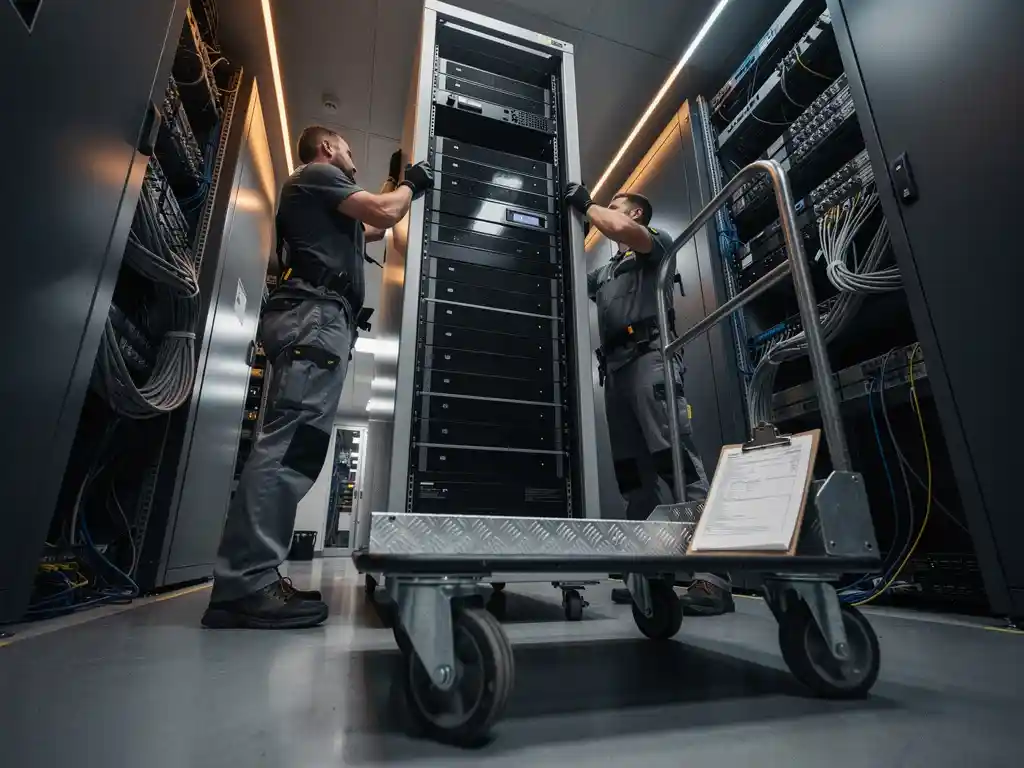
Professional logistics support reduces the risk of outage during server relocation by ensuring that physical handling, transport conditions, and on-site installation meet the specific requirements of sensitive IT hardware. The physical phase of a server move is often underestimated, but it carries real risk: vibration, temperature fluctuation, electrostatic discharge, and improper packing can all cause hardware failures that no amount of software planning can prevent.
We have direct experience with the demands of high-tech logistics. Our team assembles server cabinets in a dedicated dust-free clean room within our warehouse, and we provide warehousing, refurbishment, and worldwide distribution for IT hardware on behalf of major business IT solutions providers. This kind of specialized capability means that the physical handling of server equipment is treated as a professional discipline, not a general freight task.
For organizations planning a server relocation, working with a logistics partner that understands IT infrastructure means:
- Proper anti-static packaging and climate-controlled transport where required
- Trained personnel who understand the fragility and value of the equipment
- Precise coordination between the logistics timeline and the IT team’s migration schedule
- On-site installation support, including cable management and cabinet assembly
- Full chain-of-custody documentation for compliance and audit purposes
You can learn more about how we approach complex technical projects on our project logistics solutions page. The physical and technical dimensions of a server relocation are inseparable, and treating logistics as a professional function rather than an afterthought is one of the most effective ways to protect uptime.
What should your communication plan include during a server relocation?
Your communication plan during a server relocation should include a defined stakeholder list, pre-agreed notification timelines, a clear escalation path for incidents, and a single source of truth for status updates. Without a structured communication plan, even a technically well-executed migration can create confusion, erode trust, and slow down incident response if something goes wrong.
Start by identifying every group that needs to be informed: internal IT staff, business unit leaders, end users, external customers if services will be affected, and any third-party vendors whose systems integrate with yours. Each group needs different information at different levels of detail, so tailor your messages accordingly.
Establish a notification timeline before the migration begins. Stakeholders should receive advance notice of the planned maintenance window with enough lead time to adjust their own schedules. A reminder notification closer to the window, a status update when the migration begins, and a confirmation when systems are back online are the minimum touchpoints for most migrations.
The escalation path is critical. Define in advance who gets contacted if a stage of the migration fails, what the decision-making authority is for extending the maintenance window or triggering a rollback, and how that decision gets communicated to waiting stakeholders. Ambiguity in escalation paths during an incident is a reliable way to turn a manageable problem into a prolonged outage.
Finally, designate a single communication owner for the duration of the migration. This person is responsible for sending updates, fielding questions, and ensuring that no stakeholder group is left without information. When multiple people communicate independently during a migration, messages become inconsistent and stakeholders lose confidence in the process.