


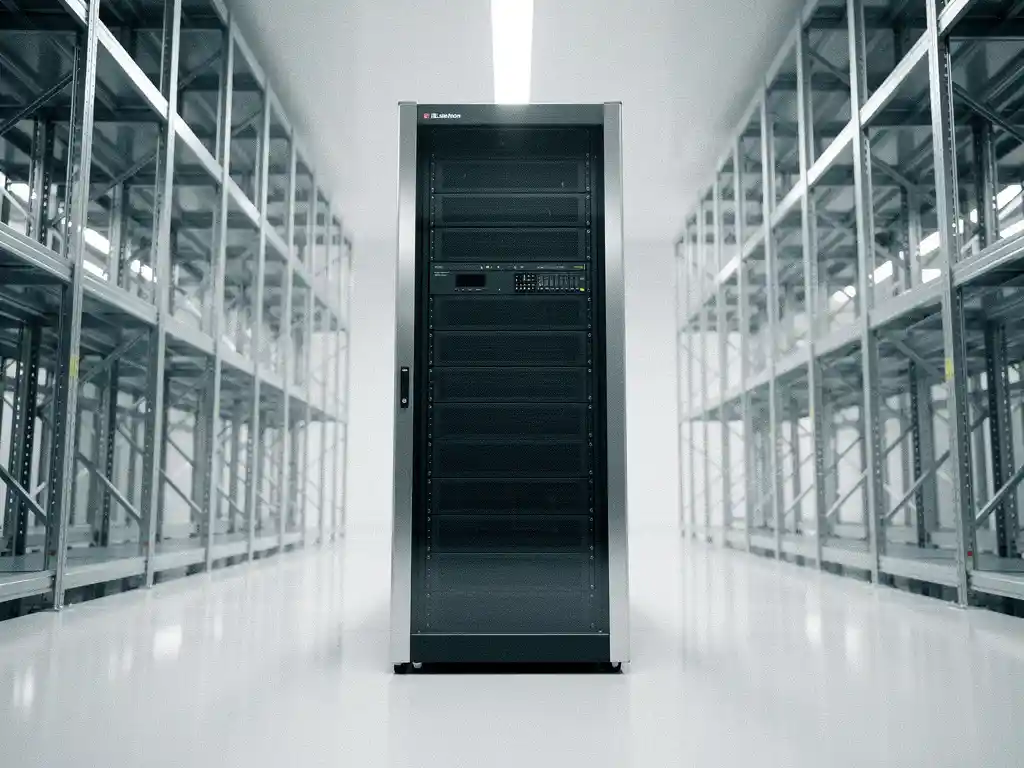
A dust-free environment is important for server equipment because dust acts as an insulating layer that traps heat, blocks airflow, and causes components to overheat, leading to performance degradation, hardware failure, and costly downtime. Even modest accumulations of particulate matter can push processors, memory modules, and power supplies beyond their safe operating temperatures. The sections below unpack the specific risks, the most dangerous dust types, and the practical steps that keep server hardware protected.
How does dust actually damage server hardware?
Dust damages server hardware primarily by disrupting thermal management. When dust settles on heatsinks, fan blades, and ventilation grilles, it acts as an insulating blanket that prevents heat from escaping. Processors and other components then run hotter than their design specifications allow, which accelerates wear, triggers thermal throttling, and can ultimately cause permanent failure.
The damage mechanism works on several levels simultaneously. Fans clogged with dust have to work harder to move the same volume of air, which shortens their operational lifespan. Dust particles that carry a static charge can also create short circuits when they settle across circuit board traces or connector pins. In humid conditions, dust absorbs moisture and becomes mildly conductive, increasing the risk of electrical faults even further.
Beyond electrical and thermal risks, dust accumulation is cumulative. A server that looks only lightly coated after six months may already be running measurably hotter than it was at installation. Over time, this sustained thermal stress degrades solder joints, capacitors, and storage drives, shortening the effective service life of equipment that represents a significant capital investment.
What types of dust pose the greatest risk to servers?
Not all dust is equally harmful to server equipment. The most dangerous types are fine conductive particles, carbon-based dust from paper handling or printing environments, and fibrous materials such as carpet or textile fibers. These particles are small enough to penetrate enclosures, carry electrical charge, and cling to circuit boards rather than falling away harmlessly.
Carbon dust, common in offices with laser printers nearby, is particularly problematic because it is both fine and mildly conductive. It can settle invisibly on motherboards and gradually create resistive pathways between components. Metal filings or shavings, which can appear in environments where nearby construction or manufacturing takes place, pose an even more acute short-circuit risk.
Biological particulates such as skin cells, pollen, and mold spores add a different dimension to the problem. In humid conditions, organic dust can support mold growth on circuit boards, which introduces moisture and corrosive byproducts directly onto sensitive components. Environments with high foot traffic, open-plan offices, or nearby industrial activity therefore require more rigorous dust control than a purpose-built, isolated server room.
How often should server rooms be cleaned to prevent dust buildup?
Server rooms should receive a thorough professional cleaning at least once every six to twelve months, with visual inspections carried out monthly. The appropriate frequency depends on the surrounding environment: a sealed, climate-controlled data center in a low-traffic area accumulates dust far more slowly than a server closet inside a busy warehouse or manufacturing facility.
Monthly inspections should focus on air intake filters, fan grilles, and the floor beneath raised flooring panels, where dust tends to collect and then get drawn upward into equipment. Filters in HVAC and precision cooling units may need replacement or cleaning more frequently, sometimes every three months, depending on the particulate load in the ambient air.
When cleaning does take place, it should be carried out using antistatic equipment and, where possible, with servers powered down or at minimum load. Compressed air is effective for dislodging dust from heatsinks and fan assemblies, but it must be used carefully to avoid driving particles deeper into the hardware or onto adjacent components. A structured cleaning schedule, documented and tracked, is far more reliable than reactive cleaning triggered only when a problem becomes visible.
What’s the difference between air filtration and positive pressure systems?
Air filtration removes particles from the air that is already inside or entering a server room, while a positive pressure system prevents unfiltered air from entering in the first place. Both approaches address dust control, but they work at different points in the contamination pathway and are most effective when used together.
Air filtration
Air filtration systems draw ambient air through filter media before it circulates around server equipment. HEPA filters, for example, capture particles down to 0.3 microns, which covers the vast majority of dust types that threaten hardware. Filtration is effective at reducing the concentration of airborne particles, but it requires regular filter maintenance to remain efficient. A clogged filter can actually restrict airflow and worsen the thermal environment it was designed to protect.
Positive pressure systems
A positive pressure system maintains air pressure inside the server room slightly above the pressure in surrounding spaces. Because air naturally flows from higher pressure to lower pressure, this means that when doors open or when there are small gaps in walls or floors, air flows outward rather than inward. Unfiltered air from corridors, adjacent rooms, or external environments cannot passively infiltrate the space. Positive pressure is especially valuable in environments where dust sources are nearby and door traffic is frequent.
In practice, the most robust dust-free environments for server equipment combine both approaches: positive pressure to block infiltration and high-quality filtration to handle any particles introduced through legitimate air exchange or human activity.
What are the signs that dust is already affecting server performance?
The clearest signs that dust is already affecting server performance are unexplained increases in component temperatures, more frequent thermal throttling events, louder or faster-spinning fans, and unexpected shutdowns or reboots. Monitoring dashboards that track CPU and GPU temperatures over time will often reveal a gradual upward trend that correlates directly with dust accumulation.
Fan noise is one of the earliest and most accessible indicators. When fans spin faster than usual under normal workloads, it means the cooling system is compensating for reduced airflow efficiency, which is almost always caused by dust on fan blades or intake grilles. If fan speed alerts appear in system management software, dust should be among the first causes investigated.
Hardware errors logged in system event records can also point to thermal stress. Memory errors, storage drive timeouts, and power supply warnings that appear without any software or configuration change are often heat-related. In some cases, servers may enter a reduced-performance state automatically to protect components, which manifests as slower application response times or reduced throughput that is difficult to trace without thermal monitoring in place.
Physical inspection remains the most direct diagnostic. If a visual check reveals a visible gray or brown coating on heatsinks, fan blades, or the interior of rack enclosures, the cleaning schedule has already been missed and corrective action is overdue.
Should servers be housed in dedicated sealed rooms or enclosed racks?
Servers should ideally be housed in dedicated sealed rooms when the scale and criticality of the infrastructure justifies it, but enclosed racks with their own filtration can provide effective dust protection in smaller deployments. The right choice depends on the number of servers, the surrounding environment, the budget available, and the consequences of hardware failure.
A dedicated sealed server room with controlled access, positive pressure, precision air conditioning, and HEPA filtration offers the highest level of dust protection available outside a purpose-built data center. It also allows for better physical security, structured cable management, and easier maintenance workflows. For organizations running significant IT infrastructure, this investment typically pays for itself through reduced hardware replacement costs and fewer unplanned outages.
Enclosed racks with integrated air filtration panels are a practical alternative for smaller server deployments or environments where a dedicated room is not feasible. Modern enclosed rack systems can maintain a measurably cleaner internal environment than open-frame racks, and they add a layer of physical protection against accidental contact. However, they do not eliminate the need for room-level dust control entirely, since the surrounding air quality still determines how hard the rack’s filtration has to work.
We at Jan Krediet understand the operational importance of dust-free conditions from direct experience. Our team assembles server cabinets in a dedicated clean room warehouse environment for a major business IT solutions provider, combining precise environmental controls with specialist handling to ensure that sensitive hardware reaches its destination in optimal condition. For organizations with complex high-tech logistics needs, purpose-built clean environments are not a luxury but a professional standard. You can explore more about our project logistics capabilities or get in touch to discuss your specific requirements.