


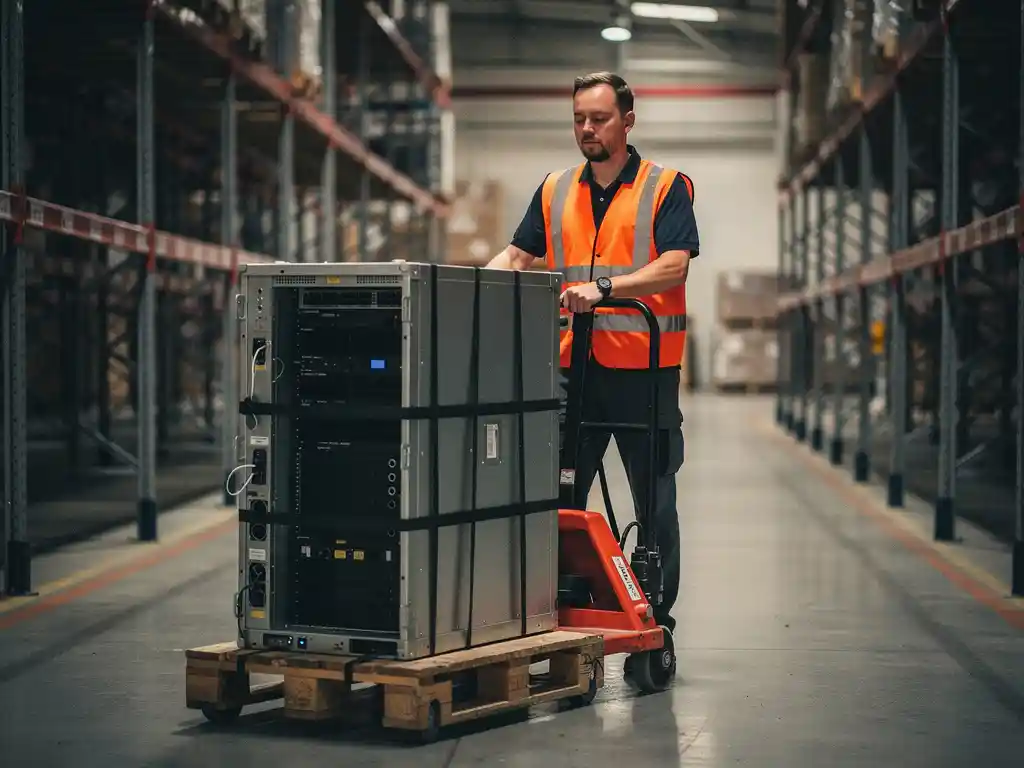
Moving server racks correctly means securing all equipment, removing heavy or fragile components where possible, using specialist lifting tools, and ensuring the path is clear and level before any movement begins. The stakes are high: server hardware is expensive, sensitive to vibration, and critical to business continuity. The sections below walk through every key question you should answer before, during, and after a server rack relocation.
What equipment do you need to move server racks safely?
To move server racks safely, you need a server rack dolly or four-post moving cart, anti-tip straps, cable ties, foam padding or blankets, an ESD (electrostatic discharge) mat, and a team of at least two trained people. The right equipment prevents physical damage to the rack, protects the hardware inside, and keeps personnel safe throughout the move.
A dedicated server rack dolly is the single most important piece of equipment. These carts are engineered to bear the weight of a fully loaded rack, which can easily exceed 500 kilograms, and they distribute that load evenly to avoid floor damage. Standard warehouse pallet jacks are not an appropriate substitute because they do not provide the stability or control that precision IT hardware demands.
Beyond the dolly, you will need:
- Anti-tip straps or stabilizer bars to prevent the rack from toppling during transit
- Cable management tools such as Velcro ties to secure loose cables before movement
- Furniture blankets or foam padding to protect corners and panels from impact
- Floor protection boards if the route crosses raised flooring or sensitive surfaces
- Torque screwdrivers and rack keys for removing and reinstalling components
- ESD wrist straps and mats when handling individual server units outside the rack
Personal protective equipment should not be overlooked either. Steel-capped boots and cut-resistant gloves protect staff from dropped components or sharp rack edges. Good lighting along the entire route is equally important, particularly in data centers where raised flooring panels and cable runs create tripping hazards.
How do you prepare a server rack before moving it?
Preparing a server rack before moving it involves documenting all cable connections, powering down equipment in the correct sequence, labeling every cable and component, removing the heaviest and most fragile units from the rack, and conducting a physical inspection of the rack frame and casters before any movement begins.
Documentation is the first and most critical step. Photograph the front and rear of the rack before disconnecting a single cable. This gives you a clear reference for reinstallation and reduces the risk of incorrect reconnections at the destination. Use numbered cable labels that correspond to a written or digital log so every connection can be restored exactly as it was.
Powering down must follow a defined sequence. Applications should be shut down first, followed by operating systems, then servers, then storage units, and finally the UPS (uninterruptible power supply). Skipping steps or cutting power abruptly can corrupt data and damage drives.
Once the rack is powered down and all cables are labeled and disconnected, assess which components should be removed for the move. Servers mounted on slide rails, heavy storage arrays, and any equipment that is not firmly bolted into the rack should come out. Wrap removed units individually in anti-static bags and then in foam or blankets. Mark each item clearly with its rack unit position so reinstallation is straightforward.
Finally, check the rack’s casters or wheels. Locks should be functional, and wheels should roll smoothly. A rack with seized casters is significantly harder to control and increases the risk of sudden shifts during transport.
Should you move a server rack with equipment inside or empty it first?
In most situations, you should remove heavy, fragile, and unsecured components before moving a server rack. Moving a fully loaded rack is only appropriate over very short, flat distances with a purpose-built dolly and an experienced team. For any significant relocation, emptying the rack of its most critical hardware reduces risk considerably.
The argument for keeping equipment in the rack is efficiency. Removing, transporting, and reinstalling dozens of components takes time, and every reconnection is an opportunity for error. Some organizations accept this risk for short moves within the same room.
However, the argument for emptying the rack first is far stronger in most real-world scenarios:
- Loaded racks are extremely heavy and difficult to control on uneven surfaces
- Vibration during movement can loosen connections, dislodge drive heads, and damage components
- A rack that tips when loaded can destroy hardware worth tens of thousands of euros or more
- Insurance and warranty terms for IT hardware often exclude damage caused during improper transport
A practical middle ground is to remove the heaviest items, such as storage arrays and blade server chassis, while leaving lighter, firmly secured 1U or 2U servers in place if the move is short and the path is smooth. Whatever approach you choose, the rack must be secured to the dolly with straps before any movement begins.
What are the biggest risks when relocating server racks?
The biggest risks when relocating server racks are physical damage from tipping or impact, electrostatic discharge damaging components, data loss from improper shutdown, cable misconnection during reinstallation, and personnel injury from handling extremely heavy equipment without the right tools or training.
Tipping is the most dramatic and costly risk. A server rack that falls can destroy every unit inside it and injure anyone nearby. This risk is highest when moving across uneven flooring, through doorways, or onto lifts. Anti-tip straps and a slow, controlled pace are essential mitigations.
Electrostatic discharge is a less visible but equally serious hazard. Static electricity can permanently damage processors, memory modules, and storage devices without leaving any obvious physical mark. Always use ESD protection when handling components outside the rack, and avoid moving equipment across carpeted floors without proper grounding.
Data integrity is another major concern. Drives that are spinning when a rack is moved are vulnerable to read/write head crashes from vibration. Even solid-state drives can be affected by significant physical shock. A proper shutdown sequence before the move and a verification process after reinstallation are non-negotiable steps.
Finally, the human risk should not be underestimated. Server racks regularly weigh several hundred kilograms. Back injuries, crushed fingers, and foot injuries are genuine occupational hazards when moves are attempted without adequate equipment or enough trained personnel. Two people are the absolute minimum for any rack move; complex relocations warrant a larger, experienced team.
How do you move a server rack across a data center floor?
To move a server rack across a data center floor, secure the rack to a purpose-built dolly, unlock the casters, assign one person to each side of the rack, move slowly in a straight line, and communicate continuously throughout the move. Plan the entire route in advance and remove any obstacles before you begin.
Route planning deserves particular attention in data center environments. Raised flooring panels may not be rated to carry the combined weight of a loaded rack and its dolly. Check the floor load rating for your specific panels and use bridging boards to distribute weight if necessary. Identify the locations of cable cutouts and floor tiles that may shift under load.
When moving the rack:
- Confirm all caster locks are released before attempting to push
- Assign one team member to lead and one to control the rear, with additional spotters for longer routes
- Move at walking pace or slower, never rushing
- Stop and reassess before every turn, doorway, or surface change
- Use ramps rather than lifts where possible to avoid the sudden movement of lift platforms
- Lock the casters immediately once the rack reaches its destination
In data centers with hot aisle and cold aisle configurations, be mindful of airflow disruption during the move. A rack that blocks a cold aisle even temporarily can cause temperature spikes in adjacent equipment. Coordinate timing with your facilities team so the move does not coincide with peak processing loads.
When should you hire a professional logistics partner for server rack moves?
You should hire a professional logistics partner for server rack moves when the relocation involves long distances, multiple racks, international transport, tight deadlines, or hardware that cannot afford any risk of damage or downtime. Professional logistics teams bring specialist equipment, trained personnel, and the experience to manage every variable that an in-house team may not anticipate.
Internal IT teams are skilled at managing infrastructure, but physical logistics at scale is a different discipline. A move involving ten or more racks across a building, between facilities, or across borders introduces complexities that go well beyond what a standard IT department handles day to day. These include route surveying, customs documentation for international shipments, climate-controlled transport for sensitive hardware, and coordinated reinstallation at the destination.
We at Jan Krediet have direct experience in exactly this type of high-tech logistics. As part of our project logistics services, we assemble and handle server cabinets in a dust-free clean-room environment within our warehouse, and we provide warehousing, refurbishment, and worldwide distribution for IT hardware clients. This is not a peripheral service for us; it is a defined area of expertise built on decades of handling complex, high-value logistics challenges.
Consider bringing in a professional partner when any of the following apply:
- The move involves cross-border or intercontinental transport requiring customs clearance
- Hardware downtime has a direct and significant cost to your business
- Your internal team lacks specialist lifting equipment or trained personnel
- The destination requires installation, cable management, or configuration support
- The hardware is under warranty terms that require certified handling
A logistics partner with genuine IT hardware experience will also carry appropriate insurance, provide chain-of-custody documentation, and offer tracking throughout the move. If you are weighing up whether professional support is right for your relocation, get in touch with our team to discuss the specifics of your project.