


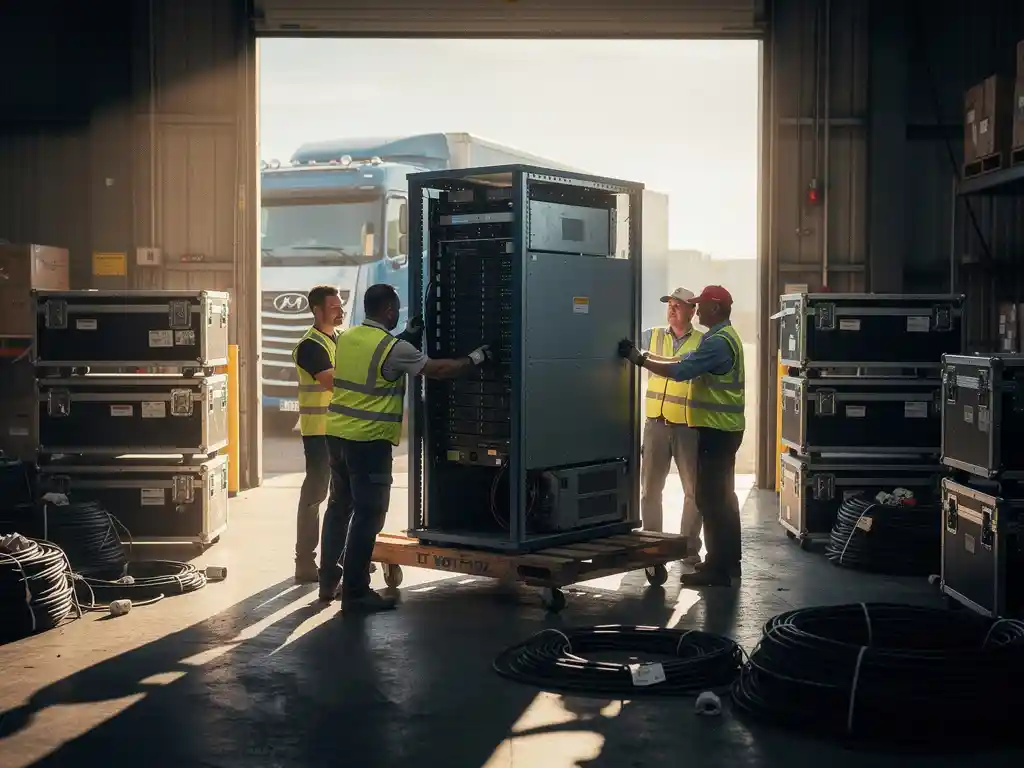
Moving a data center to a new location is a complex, multi-phase undertaking that typically spans several months of planning and execution. The process involves careful risk assessment, infrastructure preparation, physical transport of sensitive equipment, and rigorous testing before any systems go live at the new site. The sections below address the most common questions organizations face when planning a data center relocation.
How long does a data center relocation typically take?
Relocating a data center to another site typically takes between six months and two years from initial planning to full operational status at the new location. The timeline depends heavily on the size of the environment, the complexity of the infrastructure, and how much downtime the organization can tolerate. Smaller server room moves can sometimes be completed in weeks, but enterprise-scale migrations almost always require a phased approach measured in quarters.
The planning phase alone often accounts for a third of the total project duration. During this stage, teams audit existing assets, map dependencies between systems, negotiate contracts for the new facility, and design the migration sequence. Rushing this phase is one of the most common causes of delays and failures later in the process.
Physical transport is usually the shortest part of the timeline, but it still demands careful scheduling. Equipment must be powered down in the correct sequence, packed and transported safely, and brought back online in a precise order at the destination. Even a relatively small environment with a few dozen server racks can require several days of physical move activity once planning and preparation are complete.
What are the biggest risks of moving a data center?
The biggest risks of moving a data center are data loss, extended downtime, physical damage to equipment, and security breaches during transit. Any one of these can result in significant financial loss, reputational damage, or regulatory consequences. Understanding each risk in advance allows teams to put specific countermeasures in place before the move begins.
Data loss and corruption
Even with modern storage systems, the process of powering down, transporting, and restarting hardware introduces moments when data integrity can be compromised. Full backups verified against a known good state are essential before any equipment is touched. Many organizations also perform a test restore from backup before committing to the physical move.
Extended or unplanned downtime
Downtime is often unavoidable during a data center migration, but unplanned extensions of that downtime are a serious risk. Hardware that fails to power on at the new site, network configuration errors, or unforeseen dependencies between systems can all push recovery time far beyond what was planned. Detailed runbooks with step-by-step procedures and clearly defined rollback points help teams respond quickly when something goes wrong.
Physical damage during transport
Servers, storage arrays, and networking equipment are sensitive to vibration, static electricity, temperature changes, and improper handling. Equipment that is not packed correctly or transported in unsuitable vehicles can arrive at the new site damaged beyond repair. Using logistics professionals with experience in high-tech equipment transport significantly reduces this risk.
How do you keep systems running during a data center move?
The most effective way to keep systems running during a data center move is to use a parallel running strategy, where a replica of the production environment is built and validated at the new site before any live systems are cut over. Traffic is then migrated in controlled stages, often application by application, rather than all at once. This approach minimizes the window during which users experience any disruption.
Where parallel running is not feasible, organizations schedule migrations during periods of lowest demand, typically nights or weekends, and communicate planned maintenance windows well in advance to all stakeholders. Critical systems that cannot tolerate any downtime may be hosted temporarily in a colocation facility or cloud environment while the primary infrastructure is in transit.
Failover and disaster recovery systems play an important role here as well. Organizations with mature disaster recovery setups can activate their secondary site as the primary during the migration period, then migrate the secondary site afterward. This approach requires that the secondary environment is capable of carrying the full production load, which is not always the case and should be tested before relying on it.
What specialist equipment and logistics are needed to transport servers?
Transporting servers and data center equipment requires anti-static packaging, custom foam inserts or original manufacturer packaging, climate-controlled vehicles, and lift gates or loading equipment appropriate for heavy rack-mounted hardware. Standard freight handling is not suitable for this type of cargo. Every item must be inventoried, labeled, and tracked throughout the move.
Rack-mounted equipment is often transported on purpose-built server carts or within the original racks if those racks are designed for transport. Hard drives and storage media are particularly vulnerable and may be transported separately from the servers themselves, with dedicated chain-of-custody documentation for security and compliance purposes.
The vehicle used for transport matters as much as the packaging. Air-ride suspension systems reduce vibration during transit, and temperature control prevents condensation from forming on sensitive components when equipment moves between different climate environments. For international data center relocations, customs documentation and import procedures add another layer of complexity that requires specialist logistics knowledge.
We handle exactly this kind of high-tech logistics challenge. Our team assembles and manages server cabinet logistics in controlled environments, and our project logistics service is built around the kind of precision planning that data center moves demand.
Who is responsible for planning a data center migration?
Responsibility for planning a data center migration is typically shared between an internal project manager or IT director, the organization’s infrastructure and operations teams, and an external logistics partner with experience in technology relocation. For large migrations, a dedicated migration project manager is often appointed to own the overall plan and coordinate between all parties involved.
On the technical side, network engineers, systems administrators, and storage specialists each contribute expertise to the migration plan. They define the sequence in which systems must be shut down and restarted, identify dependencies that could cause failures if the order is wrong, and validate that the new environment is correctly configured before any production workloads move.
The logistics partner is responsible for the physical transport plan, including vehicle selection, packing methodology, route planning, and on-site coordination at both the origin and destination. Clear handover points between the technical team and the logistics team must be defined in writing so that accountability is never ambiguous during the move itself.
Governance and communication planning are equally important. Stakeholders across the business need regular updates, and escalation paths must be established before the migration begins so that decisions can be made quickly if something unexpected occurs.
What should you check before declaring a data center move complete?
Before declaring a data center relocation complete, you should verify that all systems are powered on and responsive, all data is intact and consistent with pre-migration baselines, network connectivity is confirmed end to end, security controls are active and correctly configured, and all monitoring and alerting tools are functioning at the new site. A formal sign-off checklist prevents teams from closing out the project before critical validations are complete.
Performance testing is a step that is often skipped under time pressure, but it is essential. Systems that are running at the new site may still be performing below expected levels due to network latency differences, storage configuration changes, or resource contention that was not present in the original environment. Running performance benchmarks and comparing them to documented baselines from the previous site confirms that the migration has not introduced hidden degradation.
Documentation must also be updated to reflect the new environment. Network diagrams, asset registers, runbooks, and disaster recovery plans that still reference the old site create confusion and risk during any future incident. Updating this documentation is a formal deliverable of the migration, not an optional afterthought.
Finally, a post-migration review conducted within the first few weeks of operation captures lessons learned while the experience is still fresh. This review informs future migrations and helps the organization understand whether the move met its original objectives in terms of cost, timeline, and performance outcomes. For organizations considering their approach to complex logistics projects, our client case studies show how structured project management delivers consistent results across challenging environments.