


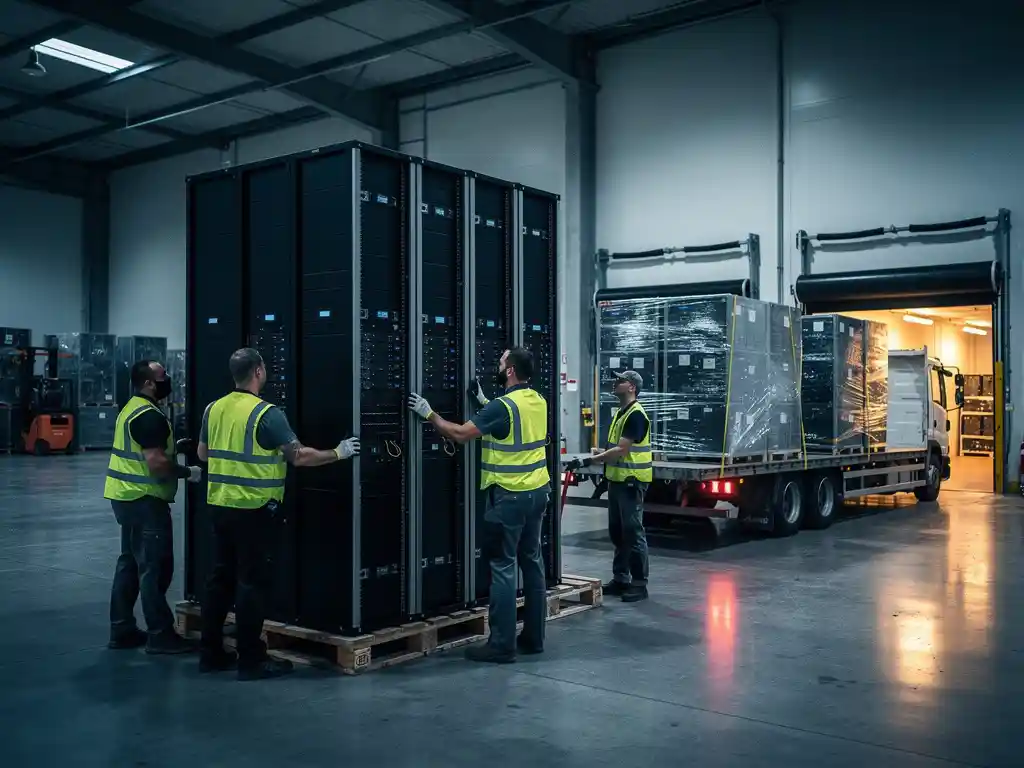
Relocating a data center to another site means physically moving all IT infrastructure, including servers, storage systems, networking equipment, and cabling, from one facility to another while maintaining data integrity and minimizing downtime. The process is far more demanding than a standard office move because every component carries live data, interconnected dependencies, and strict handling requirements. This article walks through the key questions every organization faces when planning a data center relocation.
What makes data center relocation so complex?
Data center relocation is complex because it combines physical logistics, IT architecture, risk management, and operational continuity into a single tightly coordinated effort. Unlike moving furniture or general equipment, every server, switch, and cable represents active business processes, and a single misstep can cause data loss, extended downtime, or hardware failure that costs far more than the move itself.
The interdependencies between systems are a major source of complexity. Servers do not operate in isolation. They connect to storage arrays, cooling units, power distribution systems, and network infrastructure, all of which must be shut down, disconnected, transported, and recommissioned in the correct sequence. If that sequence is wrong, systems may fail to boot or data may become corrupted.
Environmental sensitivity adds another layer. Data center hardware is vulnerable to electrostatic discharge, vibration, temperature fluctuations, and humidity. Standard freight handling is not appropriate. Equipment must travel in anti-static packaging, climate-controlled vehicles, and purpose-built transport crates. Physical shock during loading and unloading is one of the most common causes of hardware damage during a move.
Finally, the human element matters enormously. Successful relocation requires close coordination between IT teams, facilities managers, logistics specialists, and the destination site. Gaps in communication between these groups are where most data center moves run into serious trouble.
What should a data center relocation plan include?
A data center relocation plan should include a full asset inventory, a phased migration timeline, a risk register, rollback procedures, communication protocols, and clearly assigned responsibilities for every stage of the move. Without these elements documented in advance, the project lacks the structure needed to manage complexity and recover from unexpected problems.
Asset inventory and dependency mapping
Before anything moves, every piece of hardware must be catalogued with its configuration, physical dimensions, weight, power requirements, and logical dependencies. This inventory forms the foundation of the entire plan. Dependency mapping identifies which systems must go offline before others can be touched, which prevents cascading failures during the migration.
Phased timeline and rollback procedures
A phased approach moves equipment in logical batches rather than all at once, which limits exposure at any given moment. Each phase should have a defined rollback procedure: a documented plan for restoring the previous state if something goes wrong. Testing at the destination site after each phase confirms that systems are functioning before the next batch is moved. The plan should also include a communication schedule so that stakeholders, end users, and support teams know what to expect and when.
How do you move servers and hardware without damaging them?
Moving servers and hardware without damage requires proper decommissioning, anti-static and shock-resistant packaging, climate-controlled transport, and careful recommissioning at the destination. Each step must follow a documented procedure, and the physical handling must be carried out by trained personnel who understand both the fragility and the value of the equipment involved.
Before any hardware is touched, servers should be powered down following a controlled shutdown sequence rather than simply cutting power. Drives should be secured or removed separately where data sensitivity demands it. All cables must be labelled clearly before disconnection so that reconnection at the destination is accurate and efficient.
Packaging matters as much as the transport itself. Server rails, blade chassis, and networking equipment should be placed in original manufacturer packaging where available, or in equivalent anti-static foam-lined cases. Equipment should never be stacked in ways that place weight on sensitive components. For high-value or particularly fragile hardware, custom wooden crates with internal foam moulding provide the best protection.
During transport, vehicles must be temperature- and humidity-controlled. Hard drives and SSDs are sensitive to vibration, so air-ride suspension vehicles are strongly preferable to standard freight trucks. At both the origin and destination, loading and unloading should be performed slowly and with appropriate lifting equipment. Dropping a rack unit even a short distance can cause internal component damage that does not show up immediately but leads to premature failure weeks later.
At the destination, equipment should be allowed to acclimatize to the room temperature before powering on, particularly if it has travelled through significantly different ambient conditions. Reconnection should follow the reverse of the disconnection sequence, verified against the labels applied before the move.
How long does a data center relocation typically take?
A data center relocation typically takes anywhere from a few weeks for a small server room to six months or more for a large enterprise facility. The timeline depends on the volume of equipment, the complexity of the IT environment, the distance between sites, and how much downtime the business can tolerate during the transition.
Planning and preparation almost always take longer than the physical move itself. Auditing assets, mapping dependencies, preparing the destination site, and coordinating stakeholders can consume the majority of the project timeline. Organizations that underestimate this phase often find themselves rushing the physical move, which is where mistakes happen.
The physical migration window is typically compressed as much as possible to limit operational disruption. For many organizations, the actual movement of hardware happens over a weekend or a series of planned maintenance windows. However, the preparation leading up to those windows and the testing and validation that follow them extend the overall project considerably.
Larger relocations that involve hundreds of racks, complex network architectures, or regulatory requirements around data handling will naturally require more time at every stage. Building in buffer time for unexpected issues is not optional but essential.
What are the biggest risks during a data center move?
The biggest risks during a data center move are hardware damage in transit, data loss or corruption, extended unplanned downtime, and security breaches during the physical handling of equipment. Each of these risks can be mitigated with careful planning, but none can be eliminated entirely without the right expertise and preparation.
Hardware damage is the most visible risk. Servers and storage systems contain components that are sensitive to shock, vibration, and static electricity. Improper handling during loading, transport, or unloading can cause failures that only become apparent after the equipment is powered back on at the new site.
Data loss is a different category of risk entirely. It can result from hardware failure during the move, from incorrect shutdown procedures, or from reconnection errors at the destination. Comprehensive backups taken immediately before the move are non-negotiable, but backups alone are not sufficient if restore procedures have not been tested in advance.
Security is an often-overlooked risk. Physical access to servers during a move creates opportunities for data theft or tampering. Chain-of-custody documentation, sealed transport containers, and controlled access at both origin and destination are important safeguards, particularly for organizations subject to data protection regulations.
Finally, extended downtime beyond what was planned can have serious commercial consequences. This risk is best managed through thorough testing at the destination site before decommissioning the origin, and through clear rollback procedures that allow a rapid return to the previous state if critical systems fail to come online as expected.
When should you use a logistics partner for data center relocation?
You should use a specialist logistics partner for data center relocation when the volume of equipment, the sensitivity of the hardware, or the complexity of the move exceeds what your internal team can safely manage. For most organizations, this means any relocation involving more than a handful of racks, long-distance transport, or strict uptime requirements.
A logistics partner brings purpose-built transport equipment, trained handling personnel, and experience with the specific physical demands of IT infrastructure. This is not a job for general freight carriers. The vehicles, packaging materials, and handling techniques required for safe data center transport are specialized, and the cost of getting it wrong far exceeds the cost of engaging the right partner from the start.
We handle exactly this kind of complex, high-stakes logistics. Our project logistics team builds dedicated teams around the specific needs of each client, covering planning, coordination, and execution from start to finish. Whether the challenge involves transporting delicate equipment, coordinating multi-site migrations, or managing customs documentation for cross-border moves, we treat every project as a unique problem that deserves a tailored solution.
The right time to involve a logistics partner is at the planning stage, not after the project has already run into difficulty. Early involvement allows the logistics team to contribute to the asset inventory, advise on packaging and transport requirements, and integrate their work with the IT migration plan rather than operating around it. Organizations that bring in logistics expertise late often find that the physical move becomes the bottleneck in an otherwise well-planned project.
If you are planning a data center relocation and want to understand what a professional logistics approach looks like in practice, our project cases offer concrete examples of how we approach complex, sensitive moves across a range of industries and locations.