


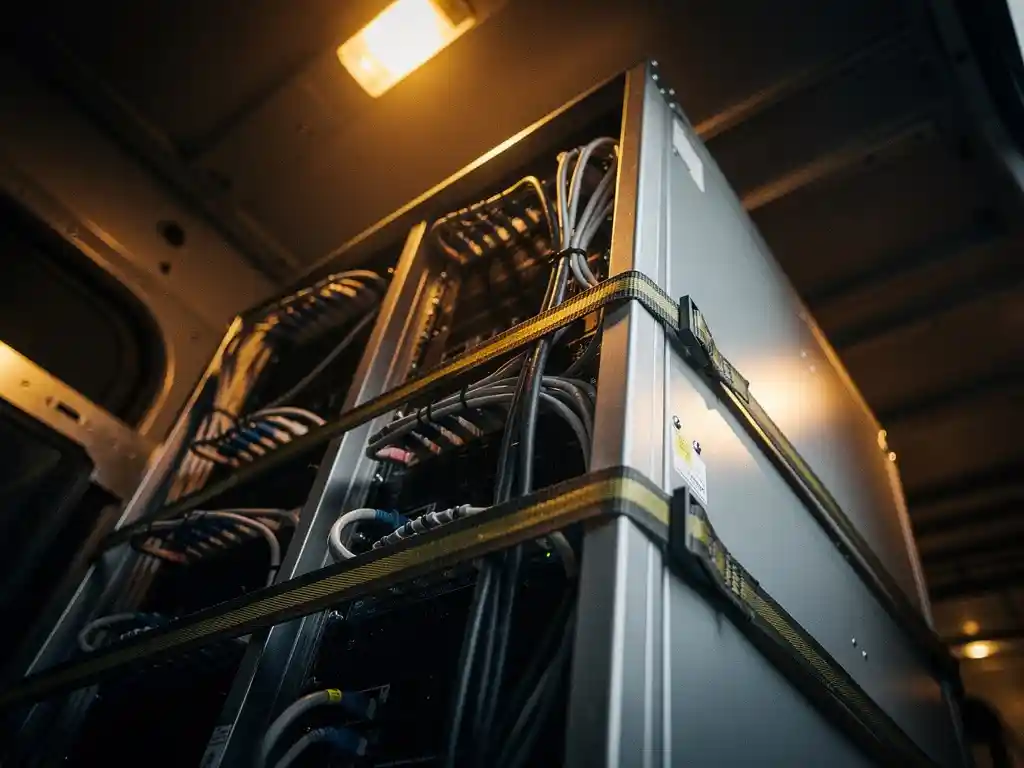
Server relocation carries a real risk of outage, and that risk ranges from a few minutes of planned downtime to hours of unplanned disruption, depending on how well the move is prepared. The primary danger is that physical handling, cable disconnection, and environmental changes during transit can interrupt services that depend on continuous power, cooling, and network connectivity. The sections below break down the specific causes, vulnerable systems, and practical strategies for keeping that risk as low as possible.
What causes downtime during a server relocation?
Downtime during a server relocation is caused by the physical and procedural disruptions that occur when hardware is disconnected, transported, and reconnected in a new location. The most common causes are power interruptions during shutdown and startup, network reconfiguration errors, hardware damage in transit, and cooling failures at the destination site before systems come back online.
Beyond the obvious moment of disconnection, several less visible factors contribute to outage risk. Configuration drift is one of the most overlooked: when servers are powered down and moved, IP addresses, DNS records, and routing tables must be manually updated, and any error in that process can prevent systems from coming back online cleanly. Firmware or driver incompatibilities between old and new rack environments can also surface only after reconnection, adding unexpected recovery time.
Physical handling introduces its own category of risk. Hard drives are particularly sensitive to vibration and shock during transport. Even minor drops or impacts can cause read errors or complete drive failure, especially in older spinning-disk hardware. Static electricity, temperature fluctuations during the move, and improper packaging all compound the likelihood of hardware damage that translates directly into extended downtime.
Finally, coordination failures between teams are a significant cause of avoidable outage. When IT staff, facilities teams, and transport personnel are not synchronized, servers may be powered down before the destination site is ready to receive them, leaving systems offline far longer than necessary.
How long does a server relocation typically take?
A server relocation typically takes anywhere from a few hours for a small single-server move to several weeks for a full data center migration involving hundreds of units. The actual transport time is usually the shortest part of the process. The bulk of the time is consumed by pre-move planning, configuration documentation, physical packing, transit, reconnection, and post-move testing.
For a modest office server room with ten to twenty units, a well-planned relocation can be completed over a single weekend, keeping business-hours disruption to a minimum. Larger migrations involving virtualized environments, storage area networks, or colocation facilities require phased approaches that spread the work across multiple nights or weekends to avoid prolonged outage.
The single biggest variable in relocation duration is preparation quality. Organizations that invest time in creating a detailed asset inventory, documenting all network configurations, and pre-staging the destination environment consistently complete moves faster and with fewer complications. Organizations that attempt to improvise those steps during the move itself routinely experience delays that multiply the original downtime estimate by a factor of two or three.
Which systems are most vulnerable to outage during a move?
The systems most vulnerable to outage during a server relocation are those with no redundancy, high sensitivity to physical shock, or deep dependencies on continuous network connectivity. This typically includes primary database servers, authentication servers, storage arrays with spinning hard drives, and any system that other services depend on to function.
High-dependency infrastructure components
Authentication and directory services, such as Active Directory or LDAP servers, sit at the top of the vulnerability list because virtually every other system in the environment depends on them. If these go offline and do not come back up cleanly, users lose access across the entire organization simultaneously. Similarly, primary database servers that hold transactional data are vulnerable because even a brief outage can result in incomplete transactions and data integrity issues that take significant time to resolve.
Hardware sensitive to physical handling
Storage arrays using traditional spinning hard drives are mechanically vulnerable to the vibration and shock that occur during transport, even when equipment is professionally packaged. Tape libraries, older RAID arrays, and any hardware with moving mechanical parts carry elevated risk during physical relocation. Solid-state storage is considerably more resilient to physical handling, which is one reason many organizations use a server migration as an opportunity to upgrade storage hardware before the move rather than after.
How can outage risk be reduced during a server migration?
Outage risk during a server migration can be reduced through thorough pre-move planning, the use of redundant or virtualized infrastructure, professional physical handling during transport, and staged cutover procedures that allow rollback if problems arise. No single measure eliminates risk entirely, but combining these approaches brings it to a manageable level.
The most effective risk reduction strategy is to migrate workloads virtually before physically moving any hardware. By replicating servers to virtual machines or cloud instances at the destination, organizations can switch production traffic to the new environment before the old hardware is ever touched. The physical move then becomes a lower-stakes exercise in relocating equipment that is no longer carrying live workloads.
Where virtual migration is not possible, the following practical measures significantly reduce physical relocation risk:
- Document every network configuration, IP assignment, and cable layout before disconnection begins
- Use anti-static packaging and shock-absorbent transport cases for all hardware
- Confirm that destination power, cooling, and network infrastructure is tested and operational before the first server is powered down at the source
- Move servers in dependency order, starting with infrastructure services and ending with application servers
- Assign a dedicated team member to verify each system comes back online before the next one is moved
- Maintain a rollback plan that defines the exact steps to restore service at the original location if the move fails
Professional logistics support for the physical transport phase also makes a measurable difference. Experienced handlers who understand the sensitivity of server hardware, use appropriate equipment, and maintain controlled environmental conditions during transit reduce the likelihood of physical damage that causes outage at the destination. We have direct experience managing high-tech logistics of this kind, including complex project-based moves that require precise coordination between IT teams and logistics personnel.
What is the difference between planned downtime and unplanned outage in a server move?
Planned downtime during a server move is a scheduled, controlled period when systems are intentionally taken offline to allow safe disconnection, transport, and reconnection. Unplanned outage is an unexpected service interruption caused by something going wrong during or after the move. The distinction matters because planned downtime is communicated in advance, time-bounded, and managed, while unplanned outage is unpredictable in duration and impact.
Planned downtime windows are agreed upon with stakeholders, communicated to users, and sized to match the realistic scope of the work. A well-run relocation uses planned downtime as a protective buffer, scheduling more time than expected so that minor complications can be absorbed without breaching the agreed service window.
Unplanned outage during a server relocation typically stems from one of three sources: hardware failure discovered only after reconnection, configuration errors that prevent systems from coming back online, or dependency failures where a supporting service that was assumed to be available at the destination is not yet functional. Unlike planned downtime, unplanned outage carries compounding costs because recovery work happens under pressure, without a pre-agreed procedure, and often outside business hours when specialist staff are harder to reach.
The practical goal of relocation planning is not to eliminate all downtime but to convert as much potential unplanned outage as possible into planned, bounded downtime. Organizations that treat every relocation risk as something to plan for in advance consistently experience shorter total outage windows than those that treat unplanned outage as an acceptable part of the process.
When should a business use a logistics partner for server relocation?
A business should use a professional logistics partner for server relocation when the volume of hardware, the sensitivity of the equipment, or the distance of the move exceeds what an internal IT team can safely manage alongside their regular responsibilities. This is particularly true for relocations involving multiple racks, cross-border transport, or equipment that requires controlled environmental conditions throughout transit.
Internal IT teams are well-equipped to manage the technical side of a server migration: configuration documentation, software preparation, and post-move testing. What they are typically not equipped to manage is the physical logistics: sourcing appropriate transport cases, coordinating vehicle access to server rooms, managing customs documentation for international moves, or ensuring that temperature and humidity remain within safe limits during transit. These are specialist logistics tasks that carry real consequences when handled incorrectly.
A logistics partner adds the most value in the following scenarios:
- The relocation involves a large number of units that must be moved within a tight time window
- Hardware is high-value, fragile, or requires clean-room handling conditions
- The destination is in another country, requiring customs clearance and cross-border coordination
- The business cannot afford extended downtime and needs the physical move completed as quickly and safely as possible
- The IT team needs to remain focused on technical reconnection and testing rather than physical handling
We handle exactly these kinds of complex, high-stakes physical moves as part of our contract logistics services, including server cabinet assembly in dust-free environments and worldwide distribution for technology clients. Combining specialist logistics expertise with a well-prepared IT migration plan is the most reliable way to reduce the overall risk of outage during a server relocation. If you want to discuss a specific move, our team is ready to help: get in touch with us to explore the right approach for your situation.