


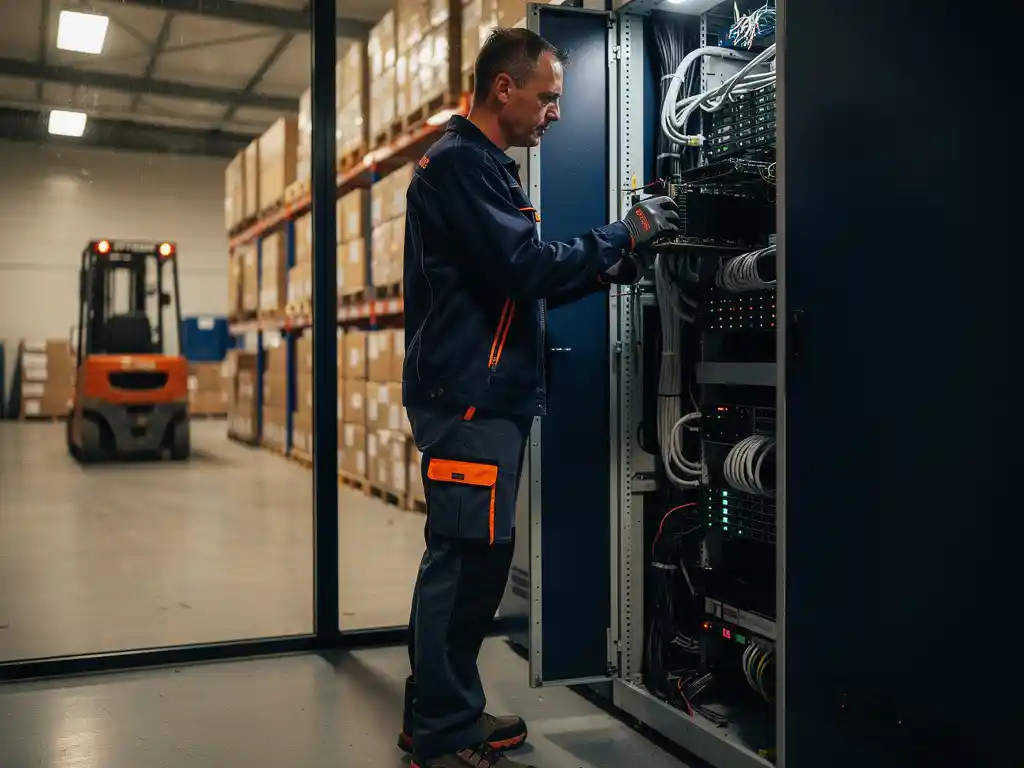
Upgrading hardware without downtime is achievable by combining smart planning, redundancy, and proven techniques like rolling upgrades and live migration. The key is to treat every upgrade as a coordinated process rather than a one-time event, ensuring continuity at every stage. Below, we answer the most important questions about how to avoid downtime during a hardware upgrade.
What types of hardware upgrades carry the highest downtime risk?
The hardware upgrades that carry the highest downtime risk are those that affect single points of failure in your infrastructure, including storage controllers, network switches, power supplies, and primary servers. When there is no redundant component to take over during the swap, even a brief interruption can bring services to a halt.
Storage systems are particularly vulnerable. Replacing a RAID controller, upgrading a SAN, or migrating to a new NAS platform can take services offline if data access is interrupted mid-process. Similarly, core network switches sit at the heart of connectivity. Swapping one without a failover path means every device relying on it loses access simultaneously.
Primary application servers present another high-risk scenario, especially in environments where workloads are not virtualized or distributed. If a single physical server hosts a business-critical application and it goes offline for hardware replacement, the impact is immediate and direct.
Power infrastructure upgrades, including UPS units and PDUs, round out the high-risk category. These components protect everything else, so replacing them without temporary power bridging exposes the entire rack or data center to unplanned outages. Understanding which upgrades carry the most risk is the first step toward planning how to avoid downtime during a hardware upgrade.
What is a rolling upgrade, and how does it eliminate downtime?
A rolling upgrade is a technique where hardware or software components are upgraded one at a time, in sequence, while the remaining nodes in a cluster continue serving traffic. Because the system never fully stops, users experience no service interruption. Workloads are redistributed across the active nodes while each component is taken offline, upgraded, and returned to service.
This approach works best in clustered or distributed environments, such as web server farms, database clusters, or virtualized infrastructure. The process typically follows these steps:
- Drain or migrate active workloads away from the first node to be upgraded.
- Take that node offline and perform the hardware upgrade.
- Bring the node back online and verify it is functioning correctly.
- Repeat the process for each remaining node in the cluster.
The critical requirement is that the remaining nodes have enough combined capacity to absorb the workload during each individual upgrade window. If capacity is too tight, performance may degrade even if availability is maintained. Planning your rolling upgrade schedule around off-peak hours reduces this risk further, giving headroom for any unexpected delays.
Rolling upgrades also provide a natural checkpoint after each node. If something goes wrong with the first upgrade, you can pause the process before the problem propagates across the entire cluster, making it one of the safest methods available for avoiding downtime during a hardware upgrade.
How does live migration help during hardware replacement?
Live migration moves a running virtual machine or workload from one physical host to another without interrupting the services it is delivering. During hardware replacement, this means you can evacuate a server of all its active workloads before taking it offline, with end users experiencing no disruption at all.
Most modern hypervisors, including VMware vSphere, Microsoft Hyper-V, and KVM-based platforms, support live migration natively. The process works by copying the memory state of a running virtual machine to the destination host in the background. Once the memory contents are synchronized, the VM switches over in milliseconds, and the source host is freed up for maintenance or replacement.
For live migration to work effectively during a hardware upgrade, a few conditions need to be in place:
- Shared or replicated storage: Both the source and destination hosts must be able to access the same storage, or storage migration must run in parallel.
- Network connectivity: A dedicated migration network reduces the impact on production traffic during the transfer.
- Sufficient destination capacity: The receiving host must have enough CPU and memory headroom to accommodate the incoming workloads.
Live migration is particularly valuable for planned hardware replacements because it gives you full control over the timing. You can schedule migrations during low-traffic periods, verify that workloads are stable on the new host, and only then proceed with the physical hardware work. When combined with a rolling upgrade strategy, live migration is one of the most reliable tools for eliminating downtime entirely.
What redundancy strategies prevent service interruption during upgrades?
Redundancy strategies prevent service interruption during hardware upgrades by ensuring that every critical component has a counterpart ready to take over the moment the primary is taken offline. The most effective strategies include high-availability clustering, N+1 power redundancy, redundant network paths, and load-balanced application tiers.
High-availability clustering
Clustering groups multiple servers so that if one is removed from service, the others automatically continue handling requests. Active-active clusters distribute load across all nodes continuously, while active-passive clusters keep a standby node ready to take over instantly. Either model supports hardware upgrades without downtime, provided the upgrade is planned node by node.
Network and power redundancy
Dual network interface cards bonded together, redundant switches connected in a stack or via spanning tree, and dual power supplies fed from separate circuits all allow individual components to be swapped without dropping connectivity or power. Before upgrading any network switch or power unit, confirm that the redundant path is active and tested. A redundant path that has never been verified is not a safety net.
Beyond infrastructure redundancy, consider geographic redundancy for mission-critical systems. Distributing workloads across multiple data centers or cloud availability zones means that even a full rack maintenance window at one location has no user-facing impact. Building redundancy into your architecture before you need to upgrade hardware is the most reliable way to guarantee continuity throughout the process.
When should hardware upgrades happen to minimize business impact?
Hardware upgrades should happen during periods of lowest system utilization, typically late at night, on weekends, or during recognized low-traffic windows specific to your business. The timing should be chosen based on actual usage data, not assumptions, so that any unexpected delay occurs when the fewest users are affected.
Start by pulling traffic and usage reports from your monitoring tools to identify your genuine low-traffic windows. Many organizations assume weekends are quiet, only to discover that batch jobs, backups, or international users create significant load during those hours. Let the data guide the schedule.
Change management windows are a useful framework here. Defining a regular maintenance window, communicated clearly to stakeholders in advance, sets expectations and reduces the organizational friction around upgrades. When users and business teams know that a specific Saturday night window is reserved for infrastructure work, they plan around it rather than being caught off guard.
For environments that genuinely cannot tolerate any service interruption, the question of timing shifts from “when can we take this offline?” to “how do we ensure we never need to?” In those cases, the redundancy and live migration strategies covered above eliminate the timing constraint entirely, because no single component ever needs to go fully offline.
How do you verify a hardware upgrade succeeded without causing new issues?
You verify a hardware upgrade succeeded by running a structured post-upgrade validation process that tests functionality, performance, and integration before declaring the upgrade complete. This process should be defined before the upgrade begins, not improvised afterward, so that every check is deliberate and documented.
A solid verification process covers these key areas:
- Hardware recognition: Confirm that the operating system and firmware correctly detect the new hardware, including any new memory, storage, or network components.
- Performance benchmarking: Run baseline performance tests and compare the results against pre-upgrade benchmarks. A hardware upgrade that introduces unexpected latency or throughput loss needs investigation before it goes into full production.
- Application functionality: Test the applications that depend on the upgraded hardware to confirm they behave correctly. This includes checking logs for errors that may not surface in the user interface.
- Redundancy verification: If the upgraded component is part of a redundant pair, test failover explicitly. Simulate the failure of the upgraded component and confirm that the counterpart takes over as expected.
- Monitoring integration: Ensure that your monitoring tools are correctly tracking the new hardware and that alerts are configured for any thresholds relevant to the new component.
A rollback plan should be documented alongside the verification checklist. If verification reveals a problem that cannot be resolved quickly, having a clear path back to the previous configuration limits the blast radius. Knowing how to avoid downtime during a hardware upgrade also means knowing how to recover quickly when something does not go according to plan.