


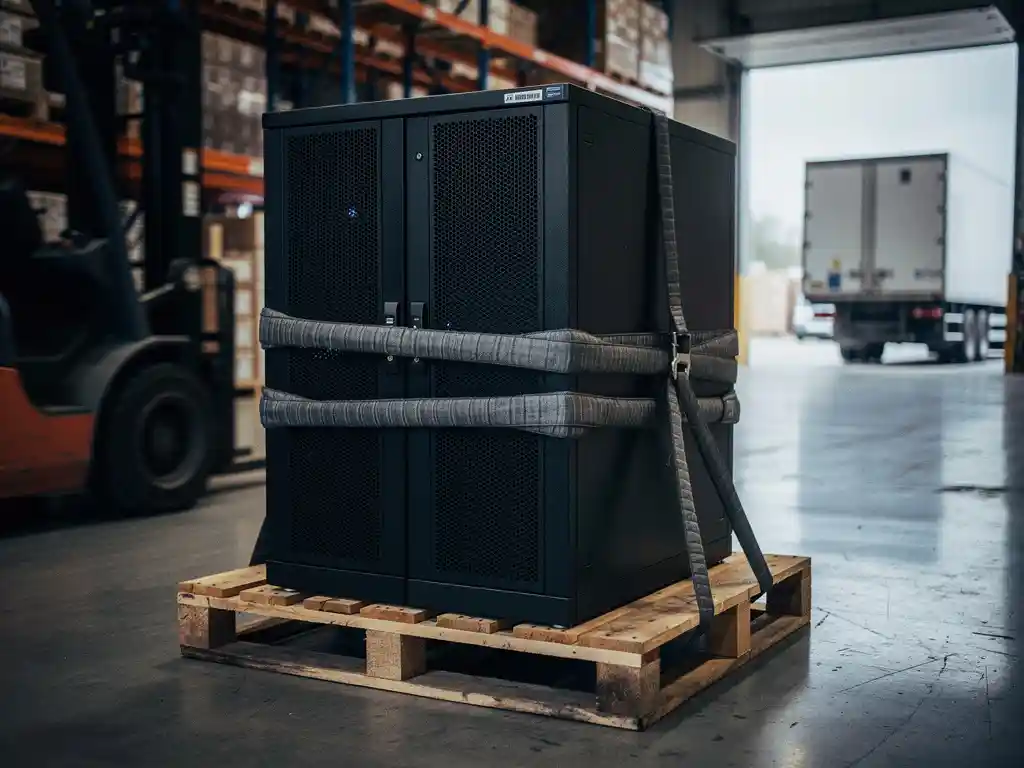
Moving servers to a new location carries real risks that can affect hardware integrity, data availability, system uptime, and security. Physical damage during transit, connection failures, and configuration errors are among the most common problems organizations face. The sections below break down each category of risk so you can plan a safer, more controlled server relocation.
What can go wrong when transporting physical server hardware?
Physical server hardware can be damaged, mishandled, or exposed to environmental hazards during transport, and any of these outcomes can render equipment permanently unusable. Servers contain precision components including hard drives, processors, cooling systems, and circuit boards that are sensitive to shock, vibration, static electricity, humidity, and temperature extremes. A single drop or rough transit can cause failures that are not immediately visible but surface weeks later.
Mechanical shock and vibration damage
Hard drives with spinning platters are especially vulnerable to vibration during road transport. Even solid-state drives, which are more resilient, can suffer damage from repeated jolts if they are not properly secured. Rack-mounted servers that are moved while still assembled in their chassis are particularly at risk because the combined weight concentrates force on internal connectors and mounting points during any sudden movement.
Environmental exposure during transit
Temperature changes between a climate-controlled server room and the back of a standard transport vehicle can cause condensation to form on sensitive components. Electrostatic discharge is another underestimated hazard when servers are handled without anti-static precautions. Packaging that is not purpose-built for IT equipment often fails to provide adequate protection against these environmental factors, especially over longer distances or multi-leg journeys.
Careful pre-move preparation makes a significant difference. This includes documenting all hardware before disassembly, using original or specialist packaging, and ensuring that any logistics partner handling the move understands the specific requirements of IT equipment rather than treating servers as general freight. Our project logistics services include handling delicate, high-value equipment precisely because standard transport methods are not sufficient for every cargo type.
How does server relocation cause data loss or corruption?
Server relocation causes data loss or corruption primarily through improper shutdown procedures, physical damage to storage media during transit, and failed data migrations that are not fully verified before the original system is decommissioned. Each of these failure modes can result in partial or total loss of business-critical information.
The most preventable cause is an unclean shutdown. When a server is powered down abruptly rather than through a proper shutdown sequence, file systems can be left in an inconsistent state. Databases that were mid-transaction at the time of shutdown may contain corrupt records that are difficult to detect and even harder to recover. This risk multiplies when multiple servers are shut down in sequence without confirming each system’s state before proceeding.
Physical damage to storage drives during transport is a second major cause. A hard drive that sustains impact damage may still appear to function on initial boot but can fail progressively as damaged sectors are accessed. By the time the failure becomes obvious, some data may already be unrecoverable. RAID configurations offer some protection, but they are not a substitute for verified backups taken immediately before the move.
Data migration errors are a third source of corruption. When data is copied from one system to another as part of a relocation, incomplete transfers, interrupted processes, or version mismatches between software environments can all introduce inconsistencies. Verifying checksums and running integrity checks on migrated data before the old system is retired is a step that is frequently skipped under time pressure, and that shortcut regularly causes problems.
What downtime risks come with moving servers?
The risk of outage during server relocation is one of the most significant operational concerns for any organization. Downtime can result from hardware failure in transit, configuration errors during reinstallation, network connectivity issues at the new location, or delays in the physical move itself. Even a well-planned relocation carries some unavoidable service interruption, and unplanned extensions of that window can have serious consequences.
Configuration drift is a commonly underestimated source of extended downtime. A server that has been running in production for years may have accumulated manual configuration changes that were never formally documented. When that server is reinstalled at a new location, those undocumented settings are missing, and the system does not behave as expected. Diagnosing the cause and restoring full functionality can take hours or days.
Network dependencies add another layer of complexity. IP address assignments, DNS records, firewall rules, and load balancer configurations all need to be updated to reflect the new location. If any of these are missed or applied incorrectly, services that depend on them will fail even if the physical hardware arrived undamaged and was reinstalled correctly. Testing network connectivity thoroughly before declaring the move complete is essential but often rushed.
Timing the move poorly amplifies every other risk. Relocating servers during peak business hours means that any problem immediately affects active users and live transactions. Scheduling the move during a low-traffic window, communicating the expected downtime window to stakeholders in advance, and having a tested rollback plan in place are all practices that reduce the operational impact of the relocation window.
How does a server move create security vulnerabilities?
A server move creates security vulnerabilities by introducing gaps in physical security, disrupting monitoring systems, and creating moments where access controls are temporarily relaxed or inconsistently applied. These windows of reduced protection are attractive targets for both opportunistic and deliberate threats.
During physical transport, servers leave the controlled environment of a secure data center and pass through hands that may not be subject to the same vetting and access controls as internal IT staff. Chain of custody becomes critical. If a server is handled by a third-party transport provider without proper security protocols, the risk of unauthorized access to stored data increases significantly, even if the hardware remains physically intact.
Security monitoring is frequently disrupted during a relocation. Intrusion detection systems, logging tools, and network monitoring platforms may be offline or only partially operational while infrastructure is being moved and reconnected. This creates a period during which unusual activity may go undetected. Attackers who are aware of a planned migration can time their activity to coincide with this monitoring gap.
Access control changes during a move also introduce risk. Temporary credentials, relaxed firewall rules, or open ports that were enabled to facilitate the migration are sometimes left in place after the move is complete. Conducting a full security audit immediately after the relocation, including reviewing all access permissions and network rules against the pre-move baseline, is a necessary step that is easy to deprioritize once the hardware is back online.
Should you use a specialist logistics partner for server relocation?
Yes, using a specialist logistics partner for server relocation significantly reduces the risk of hardware damage, data loss, and extended downtime compared to handling the move with general freight carriers or internal teams without dedicated logistics expertise. The complexity and value of server infrastructure justify a purpose-built approach to its physical transport.
A specialist partner brings purpose-built equipment, trained handling procedures, and experience with the specific requirements of IT hardware. This includes anti-static packaging, climate-controlled vehicles where needed, and personnel who understand that servers are not general cargo. The difference between a carrier that treats a server rack as a standard pallet and one that understands the fragility of the contents is the difference between hardware that arrives functional and hardware that arrives damaged.
Beyond the physical move, a specialist partner can contribute to the broader project coordination that a server relocation demands. Sequencing the transport correctly, coordinating arrival times with the receiving team, and managing the logistics of a multi-server move across a compressed timeframe all require planning discipline that general freight services are not structured to provide.
We have direct experience handling high-value, sensitive equipment in controlled conditions, including assembling server cabinets in dust-free cleanroom environments and providing warehousing and worldwide distribution for IT infrastructure. That experience means we understand what is at stake when this type of equipment is in transit. You can learn more about who we are and the standards we apply, or explore our client cases to see how we have handled complex logistics challenges across different industries. If you are planning a server relocation and want to discuss the logistics requirements, get in touch with our team directly.